
GS1 Digital Link QR code generator
Create GS1 Digital Link QR codes for your products, with batch and serial numbers, every standard link type, your own domain and a product page for each code. Edit where they go any time after printing.
Trusted by thousands who have created 2,910,700 QR codes tracked 122,051,859 times
Everything you need for GS1 QR codes
Hovercode is a GS1 US Solution Partner. Thousands of businesses already use us for their QR codes, and the GS1 tools are built in.
GS1 Digital Link codes
Codes built to the GS1 Digital Link standard, with check-digit validation on every identifier before anything is created.
A product page for each code
No product page yet? We'll build one when you create the code. Add images, instructions, videos and buy buttons in the page builder.
Change destinations after printing
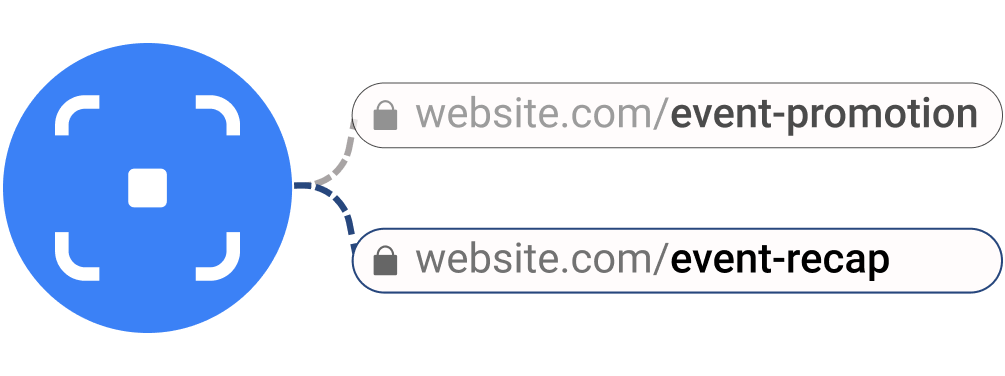
Point the code at a new page or add more link types whenever you like. The printed code stays the same.
Your own domain
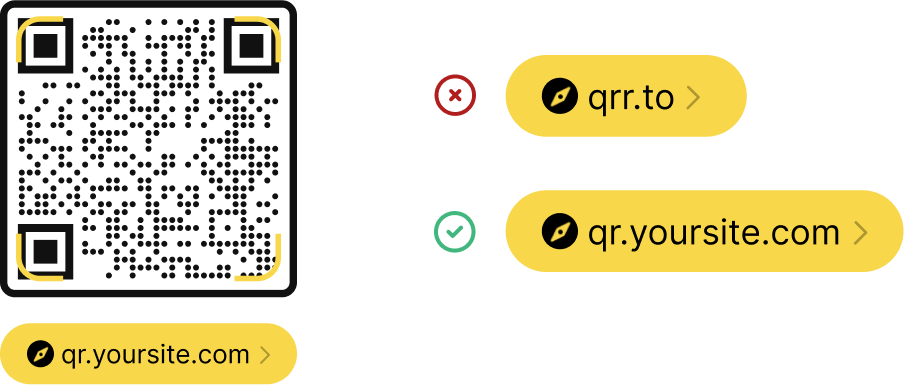
Use your brand's domain for your Digital Link URIs, so the code on pack reads yourbrand.com/01/...
Batch, serial and expiry
Add batch/lot numbers, serial numbers and expiry dates to the code when you need them.
Bulk, API and scan analytics
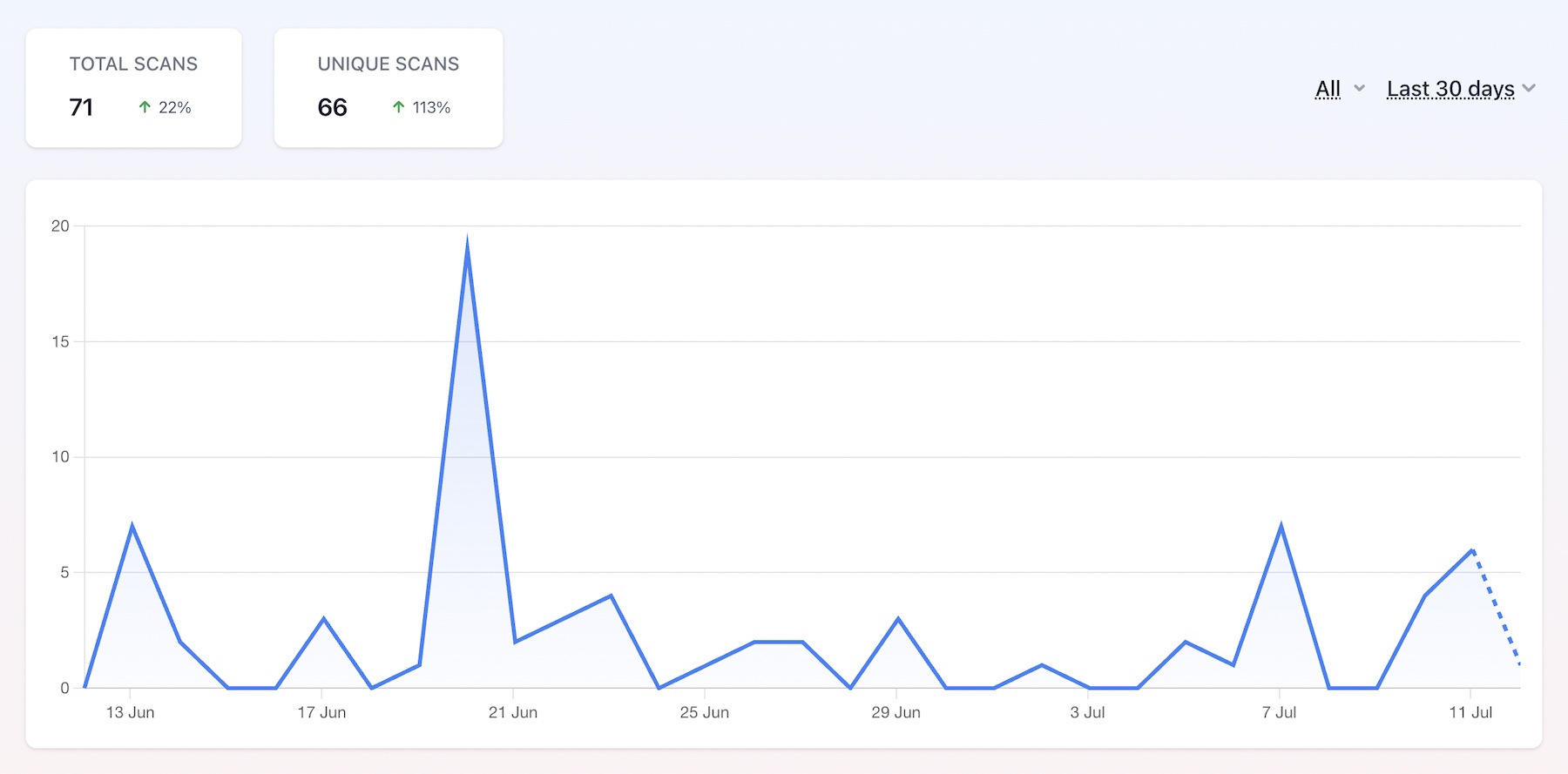
Create codes for a whole catalogue from a spreadsheet or through our API, then see how often each code is scanned.
Three steps to a compliant QR code
-
1
Enter your product identifier
- Select your identifier type - GTIN, SSCC, GLN, or any of the 15 supported types. Enter the value and optionally add batch/lot number, serial number, or expiry date for traceability.
-
2
Choose where it goes
- Send scans to a page you already have, or let us build a product page for you. Then add more GS1 link types - recipe, traceability, safety data, recall status and more - each with its own URL.
-
3
Generate your QR code
- Hovercode generates a QR code that encodes a standards-compliant GS1 Digital Link URI. Download it as PNG or SVG, and add it to your product packaging or labels.
15 GS1 identifier types supported
From retail products to shipping containers to returnable assets - Hovercode covers the full range of GS1 Application Identifiers.
GTIN (01)
Global Trade Item Number - retail products
SSCC (00)
Serial Shipping Container Code - logistics
GLN (414)
Global Location Number - physical locations
Party GLN (417)
Global Location Number - legal entities
GDTI (253)
Global Document Type Identifier
GRAI (8003)
Global Returnable Asset Identifier
GIAI (8004)
Global Individual Asset Identifier
GMN (8013)
Global Model Number - regulated products
GSRN (8017/8018)
Global Service Relation Number
Plus GCN, GINC, GSIN, ITIP, CPV, and more.
Organize your product URLs with GS1 link types
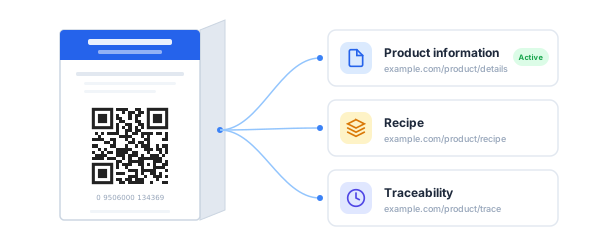
GS1 defines standard categories for the different types of content a product can link to. Hovercode lets you store URLs for each category and choose which one your QR code points to. You can change the active destination anytime without reprinting the code.
16 standard GS1 link types supported:
Plus patient information leaflet, master data, summary of product characteristics, and register product.
Link types for GTIN 09506000134369
Product information
example.com/product/details
Recipe
example.com/product/recipe
Safety information
example.com/product/safety
Traceability
example.com/product/trace
The active link type is where scans are directed. Change it anytime.
Built-in validation so you get it right
GS1 identifiers have strict formatting requirements. Hovercode validates everything as you go:
What's included
GS1 Digital Link QR codes are available on all plans, including free. They count toward your dynamic QR code limit.
| Free | Pro | Business | |
|---|---|---|---|
| GS1 Digital Link QR codes | |||
| All 15 identifier types | |||
| All 16 link types | |||
| Batch/lot, serial, expiry | |||
| Hosted product pages | 1 | ||
| Custom domain for Digital Link URI | |||
| Bulk generation from a spreadsheet |
GS1 QR codes count toward your dynamic QR code limit (3 on free, 100+ on Pro). See all plans
Have a whole catalogue? On Business you can upload a spreadsheet and create up to 1,000 GS1 codes at once, with every GTIN checked before anything is created.
What are 2D barcodes?
Traditional 1D barcodes (UPC/EAN) only hold a product number. 2D barcodes - QR codes carrying a GS1 Digital Link URI - hold far more. They contain your product identifier (GTIN, SSCC, GLN, etc.) and resolve to web content like product info, traceability data, or recipes.
The key difference: a 2D barcode does double duty. It scans at the checkout register just like a traditional barcode, and it also works as a consumer-facing QR code that links to whatever content you choose.
The retail industry is transitioning to 2D barcodes through GS1's Sunrise 2027 initiative. Hovercode makes it easy to generate compliant codes today - enter your identifier, set your destination URLs, and download a ready-to-print QR code.
1D barcodes vs 2D barcodes
Traditional 1D barcode
- - Holds a product number only
- - Scans at point of sale
- - No consumer interaction
- - Static - can't link to web content
- - No traceability data
GS1 2D barcode
- Holds identifier + web URL + traceability
- Scans at point of sale
- Consumers scan for product info, recipes, reviews
- Destination can be changed anytime
- Batch, serial, and expiry date traceability
Why 2D barcodes matter for your business
Retail is getting ready for 2D
Through Sunrise 2027, retailers are working towards checkouts that can read 2D barcodes by the end of 2027. Adding one at your next packaging update means you're ready when they are.
One code, two functions
The same 2D barcode that scans at checkout can also take consumers to product information, sustainability data, recipes, or promotions when they scan at home with their phone.
Consumer engagement beyond the shelf
Turn every product into a direct connection with your customer. Link to content that builds trust and loyalty - certifications, sourcing info, how-to guides, and more.
End-to-end traceability
Encode batch/lot numbers, serial numbers, and expiry dates directly in the Digital Link URI. Full supply chain visibility from a single scan.
Frequently asked questions
Is Hovercode a GS1 US partner?
Yes. Hovercode is a GS1 US Solution Partner. You'll still need your own GS1 identifiers (such as GTINs) from GS1 US or your local GS1 organization - Hovercode turns them into Digital Link QR codes.
What is a 2D barcode?
A 2D barcode is a QR code that carries a GS1 Digital Link URI - a standardised web address that encodes a product identifier like a GTIN. Unlike traditional 1D barcodes that only hold a number, 2D barcodes work at point of sale and link to web content (product info, traceability, recipes) when consumers scan with their phone.
What is GS1 Sunrise 2027?
Sunrise 2027 is the retail industry's goal for point-of-sale systems to be able to read 2D barcodes, like QR codes carrying a GS1 Digital Link, by the end of 2027. Traditional UPC/EAN barcodes stay in use alongside them during the transition. Read our Sunrise 2027 guide for what it means for your products.
Can I use my own domain for the Digital Link URI?
Yes. You can connect a custom domain and use it as the base for your GS1 Digital Link URIs. The QR code will encode a URI like https://yourdomain.com/01/09506000134369 instead of using the default Hovercode domain.
I don't have a product page. Can the code still go somewhere useful?
Yes. When you create a GS1 code you can choose to have Hovercode build a product page for it. You can add images, instructions, videos and buy buttons in the page builder, and change it any time without reprinting.
Where do I get a GTIN?
GTINs are licensed by GS1. In the US you get them from GS1 US, either one at a time or as a block with a GS1 Company Prefix. See our guide to GTIN numbers and how to get one.
Which identifier types are supported?
Hovercode supports 15 GS1 Application Identifiers: GTIN (01), SSCC (00), GLN (414), Party GLN (417), GDTI (253), GCN (255), GINC (401), GSIN (402), GRAI (8003), GIAI (8004), ITIP (8006), CPV (8010), GMN (8013), GSRN Provider (8017), and GSRN Recipient (8018).
Can I add batch/lot and serial numbers?
Yes. When creating a GS1 QR code, you can optionally add a batch/lot number (AI 10), serial number (AI 21), and expiry date (AI 17). These are encoded directly in the Digital Link URI for full supply chain traceability.
Does Hovercode validate my identifiers?
Yes. Hovercode validates check digits (GS1 mod-10 algorithm), identifier length, and format (numeric vs. alphanumeric) based on the identifier type. You'll see validation errors before generating the QR code, so you know it's correct.
More than GS1 QR codes
Hovercode is a complete QR code platform with tracking, branded codes, custom domains, and more.
Create your GS1 QR codes
Sign up free and create your first GS1 Digital Link QR code in a couple of minutes, or book a demo and we'll walk you through it.