Free online form builder
Build forms, collect responses, and share them with a branded QR code or short link. Feedback forms, registrations, surveys - all in one place.
Tired of stitching together separate tools?
You build a form in one tool. Copy the link. Open a different tool to make a QR code. Hope you pasted the right URL. If something changes, you update both. And your response data lives somewhere else entirely.
Hovercode's form builder cuts all of that out. Build the form, get a QR code and short link, see the responses - one tool, one login.
How it works
-
1
Build your form
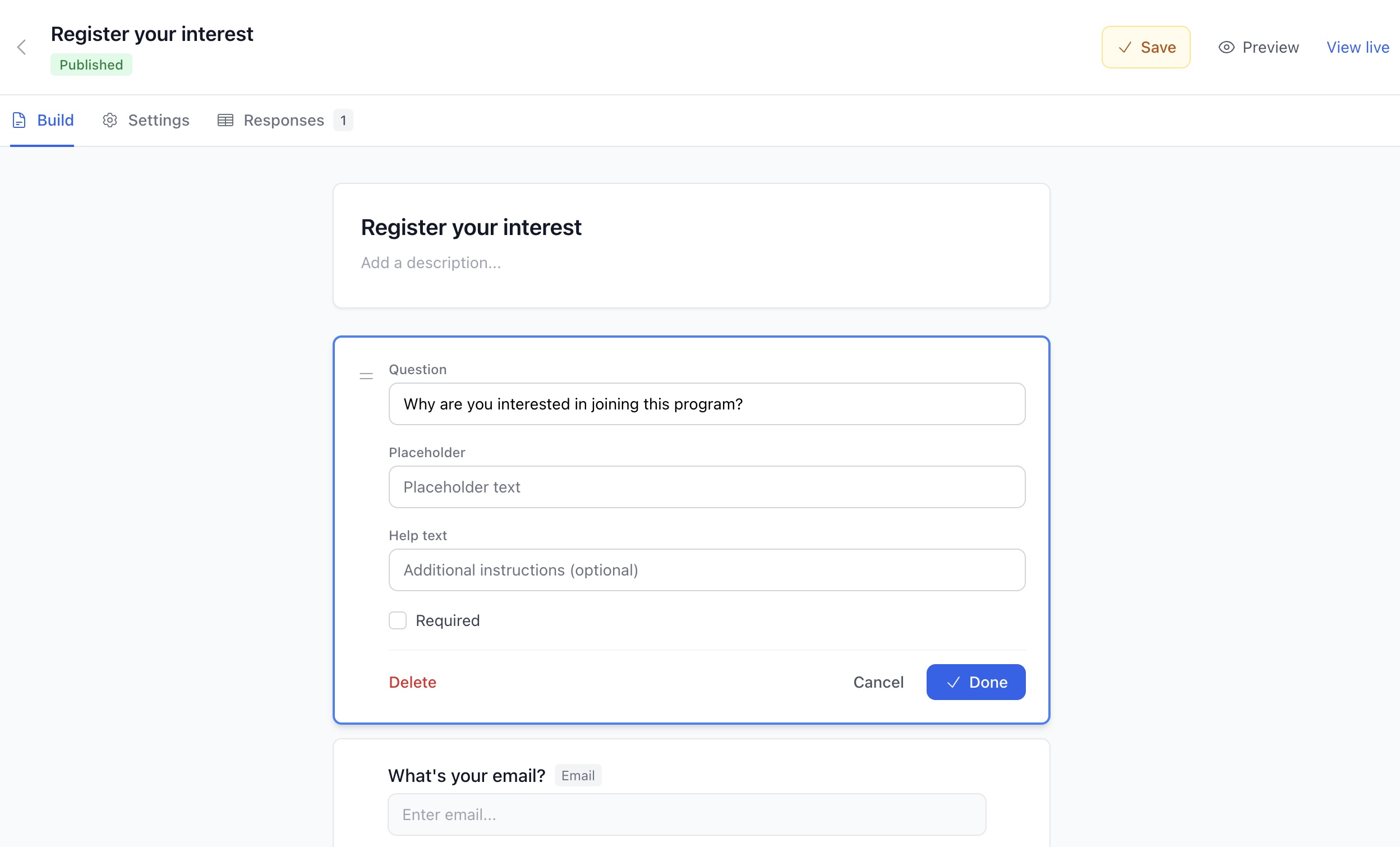
- Pick from 11 field types - text, email, dropdowns, checkboxes, date pickers, and more. Drag to reorder. Add validation. Split long forms across multiple pages.
-
2
Make it yours
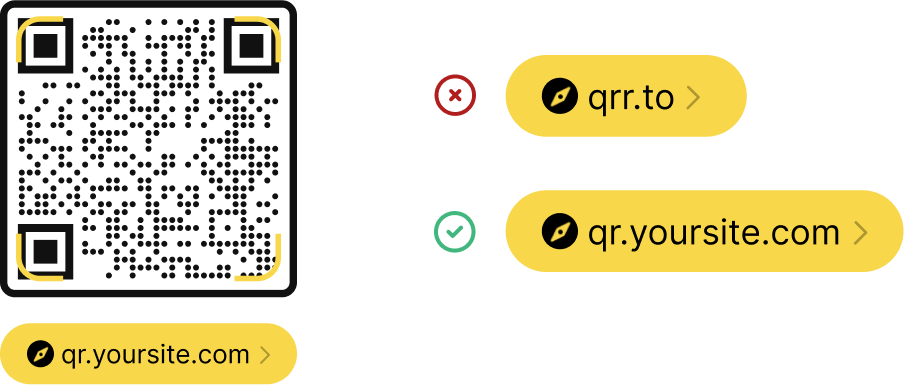
- Set your brand colors, upload your logo, write a custom thank-you message. Use your own domain for the form URL if you want. Your brand, not ours.
-
3
Publish and share
- Hit publish. You get a QR code and a short link, both ready to share. Print the QR code on packaging, flyers, or receipts. Drop the link in an email. Done.
Responses flow straight to your dashboard
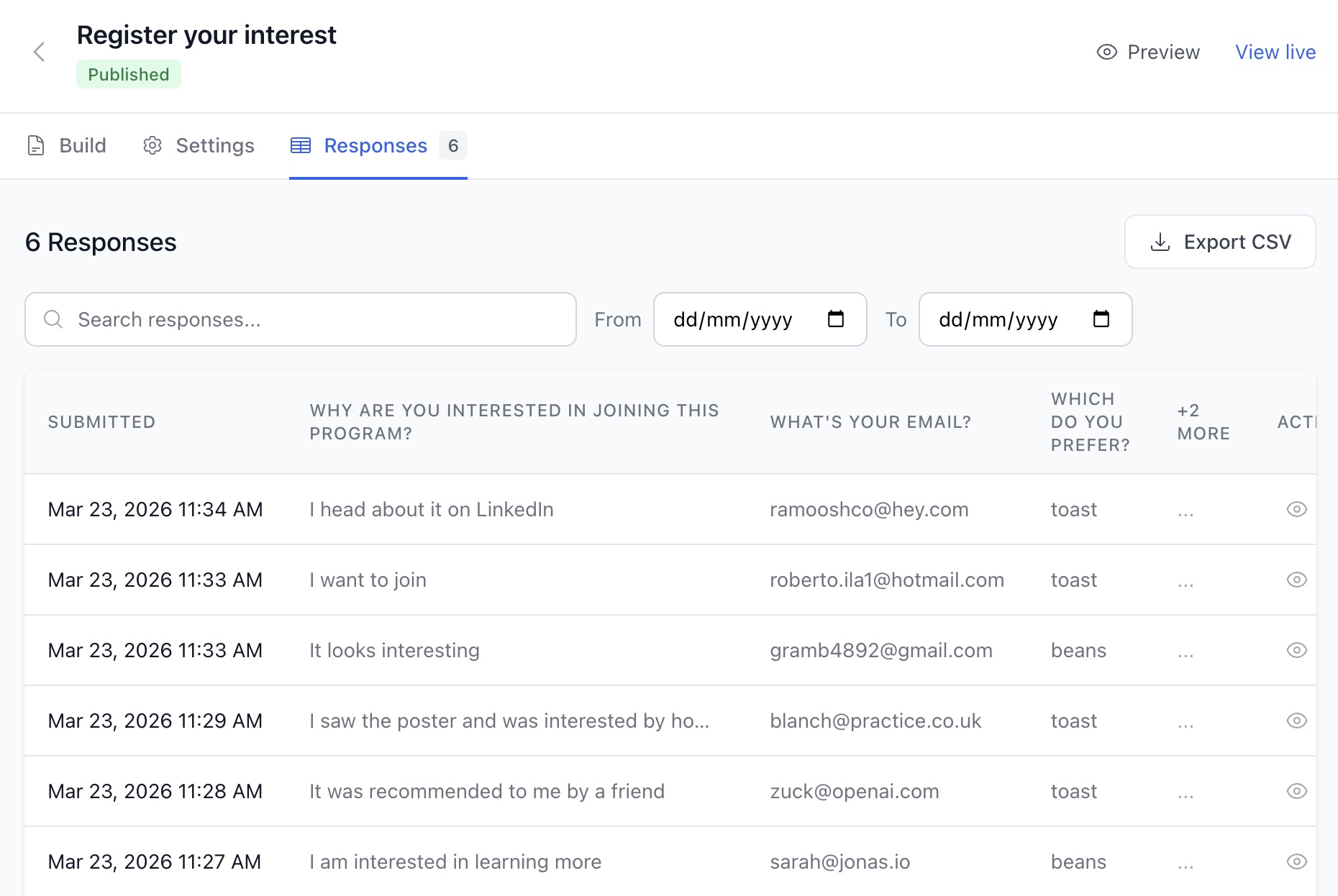
Every submission shows up in real time. Search by content, filter by date, or drill into individual responses.
Need the data somewhere else? Export everything to CSV with one click. No copying and pasting between tools.
Forms for every situation
Customer feedback
Print a QR code on receipts, table tents, or product packaging. Customers scan and tell you what they think.
Event registration
Put a QR code on a poster or flyer. Attendees scan to register - no typing in a URL on their phone.
Lead capture
Add a QR code to your business cards, booth displays, or brochures. Collect contact info on the spot.
Surveys
Run multi-page surveys with progress bars. Share via QR code or link. Export the results when you're done.
Order requests
Let customers place orders or requests by scanning a QR code. Dropdowns and validation keep submissions clean.
Warranty registration
Include a QR code in the box. Customers scan to register their purchase - you get their info without friction.
Every form comes with a trackable, editable QR code
This isn't just a static QR code that points to your form. It's a dynamic Hovercode - which means you get the full power of the platform behind it.
Scan analytics
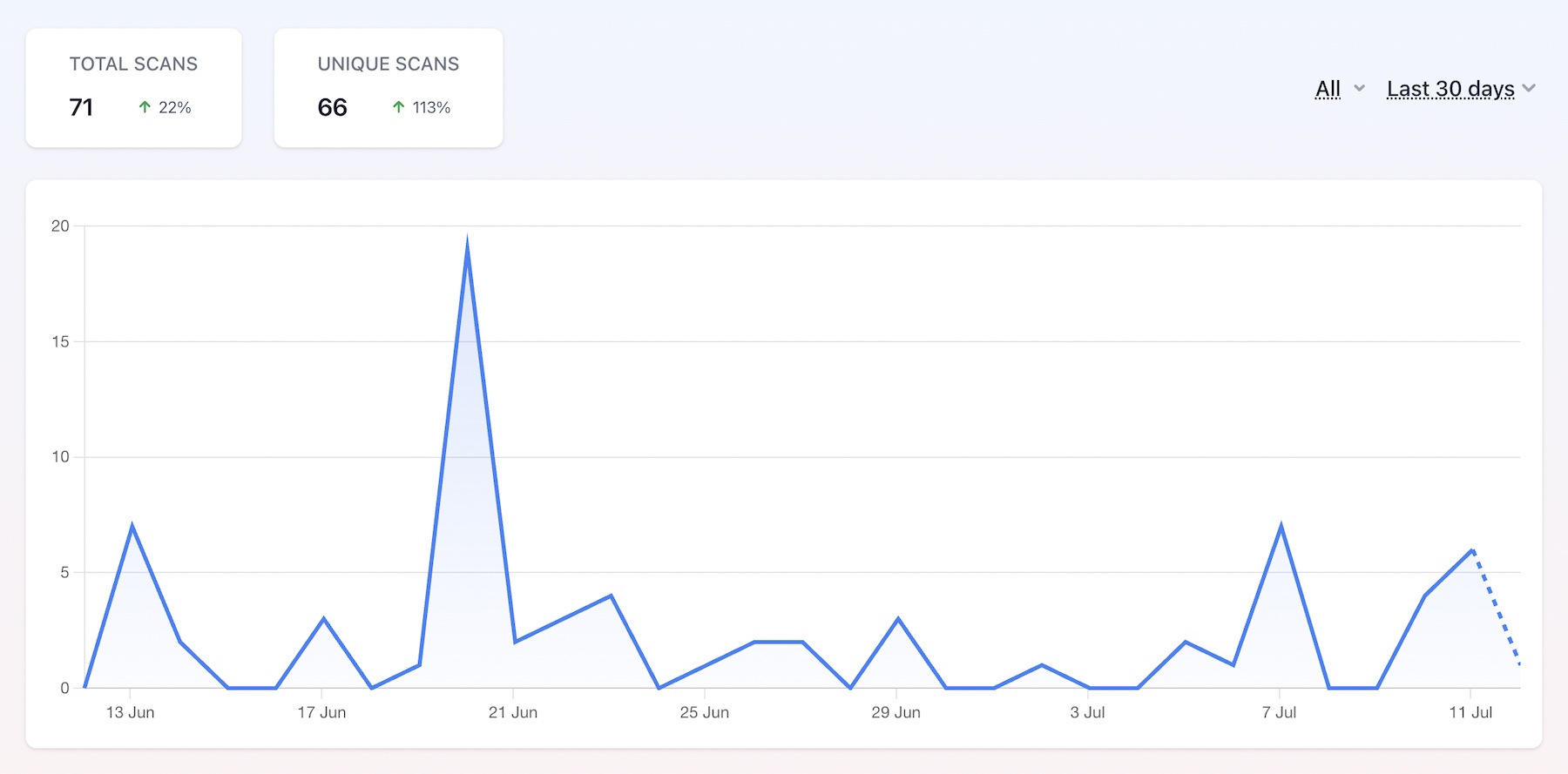
See how many people scan your QR code, what devices they use, and where they're scanning from. Learn about tracking
Change the destination
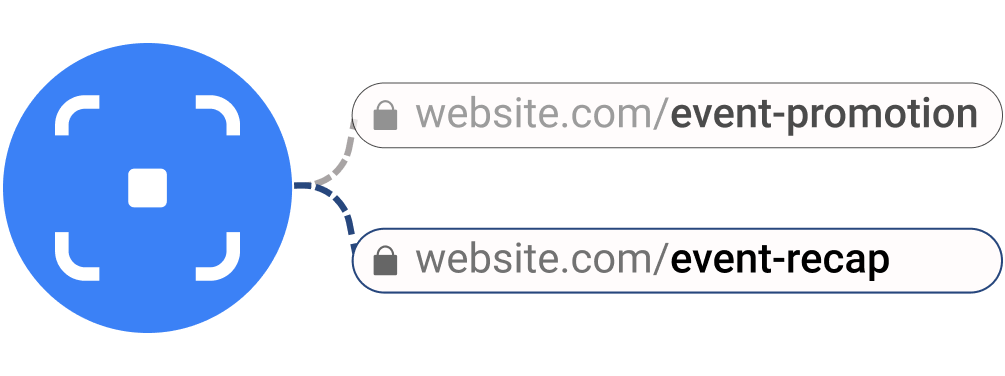
Campaign over? Point the same QR code to a new form or a different URL entirely - without reprinting anything. Learn about dynamic codes
Branded QR codes
Add your logo, pick your colors, choose circle or square - the QR code matches your brand, not ours. Learn about logos
Everything you'd expect from a form builder
What's included
The form builder is available on all plans, including free. Published forms count toward your dynamic QR code limit.
| Free | Pro | Business | |
|---|---|---|---|
| Create and publish forms | |||
| Unlimited submissions | |||
| CSV export | |||
| QR code scan analytics | Basic | Advanced | Advanced |
| Remove "Powered by Hovercode" | |||
| Custom domain |
Published forms count toward your dynamic QR code limit (3 on free, 100+ on Pro). See all plans
Frequently asked questions
Is the form builder free?
Yes. You can create forms, publish them, and collect responses on the free plan. No credit card required to sign up. Removing the "Powered by Hovercode" branding is available on paid plans.
Can I use my own domain for the form URL?
Yes. When you publish a form, you can choose from any custom domain you've connected to your workspace. The QR code and short link will use that domain.
Can I embed forms on my own website?
Yes. Every published form can be embedded as an iframe on any website. The form works and looks the same whether someone opens it via QR code, short link, or on your site.
What happens to the QR code if I close the form?
Closing a form stops it from accepting new submissions. The QR code still works - it's a dynamic code, so you can point it to a new form or a different URL anytime without reprinting.
How do I export form responses?
From your form's responses tab, click export to download all submissions as a CSV file. You can also search and filter responses by date or content before exporting.
Can I track how many people scan the QR code?
Yes. Every form QR code includes full scan analytics - total scans, devices, locations, and time trends. This is separate from form submissions, so you can see how many people scanned vs. how many completed the form.
More than a form builder
Hovercode is a complete QR code platform with tracking, dynamic codes, custom domains, and more. The form builder is just one of the ways you can drive engagement from a single scan.

Build your first form in minutes
Create a form, get a QR code, start collecting responses. No credit card required.